Multi-Purpose Extension
by Bryce Wilson30
users
Published
September 2, 2025
Screenshots
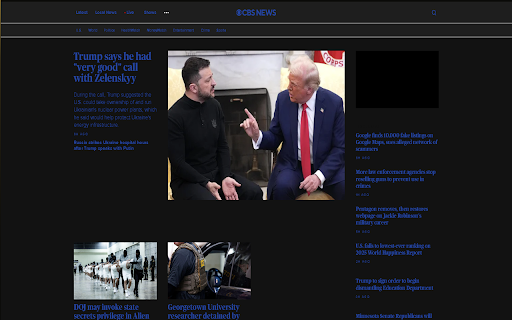

Description
Multi-Purpose Extension - Your One-Stop Browser Enhancement Tool
Transform your browsing experience with Multi-Purpose Extension! Our feature-rich tool enhances supported websites with customized features designed to improve readability, reduce distractions, and customize your viewing experience.
Key Features:
✨ Dark Mode - Save your eyes with custom dark themes for supported websites
🎨 Custom Styles - Simplified layouts and improved readability on various platforms
🚫 Ad-Blocker - Simplify your browsing experience on supported sites
🌐 Multi-Language Support - English, Spanish, French, German, Portuguese, Polish supported
⌨️ Convenient Keyboard Shortcuts - Feature has quick access with customizable shortcuts
A list of supported sites can be found in the extension help page.
Simple to use:
1. Install the extension
2. Visit any supported site
3. Enable/disable features using the sidebar toggles or keyboard shortcuts
4. Enjoy a better browsing experience!
Privacy & Security:
• No data collection
• Works locally in your browser
• Open and transparent functionality
• Continuous updates and maintenance
Perfect for:
• Students and educators
• Night-time readers
• Productivity power users
• Anyone who desires a cleaner, more personalized web experience
Install the Multi-Purpose Extension today and transform your browsing experience with our powerful, intuitive features!
Note: Features availability is dependent on the website. See our help documentation for the complete list of supported websites and features.
You will not be able to utilize this extension unless sidebars are supported by the browser you are utilizing.
Add to Chrome
Quick Info
- Version
- 3.3.1
- Size
- 1.85MiB
- Price
- Free
- Type
- Extension
Categories
Languages
DeutschEnglishespañolfrançaispolski