
SpacingJS
by Steven Lei4.3
11 reviews
2.0K
users
Published
June 18, 2025
Screenshots


Description
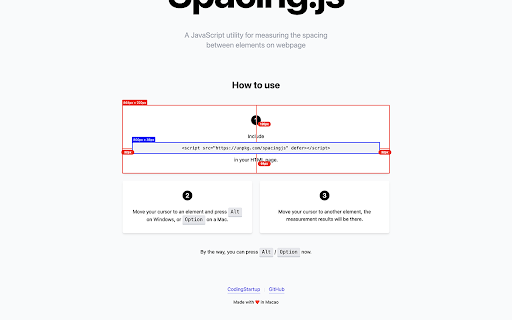
Precision spacing measurement tool for web developers and designers. Measure distances, margins, and padding between webpage elements with pixel-perfect accuracy.
🎯 How to Use:
1. Click the extension icon to activate SpacingJS
2. Hold Alt (Windows) / Option (Mac) and hover over any element
3. Move cursor to another element to see precise measurements
4. Click the icon again to deactivate
⌨️ Quick Access:
- Ctrl+Shift+S (Windows) / Cmd+Shift+S (Mac) to activate
- Alt+S to toggle on/off
✨ What's New in v1.1.0:
- Smart Toggle: Visual feedback shows when active (green dot on icon)
- Keyboard Shortcuts: Quick activation with hotkeys
- Enhanced Measurements: Shows element tag, class, and font size
- Better Compatibility: Works with all element types including SVG
💡 Pro Tips:
- Hold Shift to keep measurements visible longer (perfect for screenshots)
- Works on any website (except browser internal pages)
Perfect for designers, developers, and QA teams who need precise measurements for pixel-perfect layouts.