ZenToons - Online video filter
by Damian Suchecki5.0
1 reviews
42
users
Published
September 11, 2023
Screenshots
Description
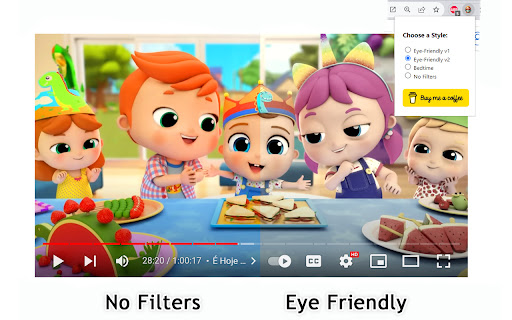
It's worth noting that intense colors and stimulating visual experiences can impact children's behavior, similar to the effects of drugs on the brain. ZenToons - Online video filter allow for the application of custom filters to online videos, offering a gentler visual experience on popular platforms like YouTube, Netflix, and many others.
Choose from four different modes to make videos more child-friendly :
- Natural Colors: Reduce vibrant colors for a soothing viewing experience.
- Low Saturation: Colors less saturated than "natural colors" profile.
- Night Mode: Prepare your child for sleep with dimmed and calming colors, while reducing the blue light, which can help promote better sleep.
- No Filter: Disable filters when not needed.
How to Use:
1. Install ZenToons - Online video filter from the Chrome Web Store.
2. After installation, click on the extension icon in your browser's toolbar.
3.Pin the filter to the toolbar using the pin icon
4. Select your preferred filter mode from the dropdown menu.
Enjoy safer and more child-appropriate video content.
Known Issues:
The filter may deactivate after refreshing the page or restarting the browser, but this can be advantageous, especially if a child shares the computer with an adult.