Hulu Party: watch Hulu together and chat
by SVODExtensions284
users
Published
June 9, 2025
Screenshots

Description
Do you miss group movie marathons? Now you can do them online!
Watch your Hulu favorites together with the squad while staying on your comfy sofa.
Thanks to live chat you can comment on whatever's happening on your screen and share your thoughts using emojis.
No more fighting over the remote - all of you have the power to pause or rewind anytime you want. Although you may need to compromise on the movie title, you're free to choose your snacks of choice (bonus: you don't have to share them with anyone!)
How does it work?
1. Add Hulu Party to Chrome.
2. Go to Hulu and log in to your account.
3. Click on the small puzzle piece icon next to the Chrome browser address bar.
4. Pin Hulu Party to have it always in the extensions toolbar.
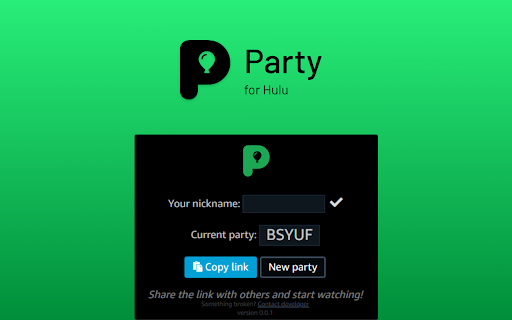
5. Click on the Party extension icon to see the settings popup.
6. Here you can copy the party link to share with others or start a new party room.
7. Send the invitation link to anyone you’d like to invite (please note that all the party members have to have their own Hulu accounts).
8. Set your username in the chat panel on the right.
9. Make sure everyone is in sync before the party starts.
10. Pick a movie or TV series to watch together.
11. Enjoy group streaming!
Disclaimer: Hulu is a trademark of Disney Media and Entertainment Distribution. This website & extension hold no association or affiliation with Hulu or any third-party companies.


![Netflix™ Extended [QVI]](https://lh3.googleusercontent.com/ldNccMkxGPvBwMvHo012safEi-F3sLLSGjA9Jnl_FRtMPzY1AY5vWov4dAiQ7DUk0iYCZfgyCdCN3kvt64Dgdr_LfQc)
![Tubi: Picture in Picture [QVI]](https://lh3.googleusercontent.com/IOe8IvvUT8YLPIxIT0okGoP28XUCcVR1mCh71MrVrTpxBXvY27V1ViQVpL-pggbgG8R-0TAye1MMXpxy3JBIF2lTKi8)
![HBO Max Party: watch HBO together and chat [QVI]](https://lh3.googleusercontent.com/bdPdgGrQ-ewPHQ3I33gRHT1VlNqCmSqI4gciU8NC7cJ--5DbUgxY0WKpJnBeDkQdZPjge10k5lg-m7mKfT_naRLH5AU)


![Peacock TV Party: watch together and chat [QVI]](https://lh3.googleusercontent.com/pgxdFe-rSgQvj5PZksfjIsWjvS3WcWDI3PpUpbb17RHX2YkFk5fOM1KGWpztPrkjGhvF6MBJtl15TFDsFnvYVIgdow)