DuckDuckGo Search - Context Menu and Omnibox
by BrowserNative4.3
6 reviews
1.0K
users
Published
May 24, 2024
Screenshots
Description
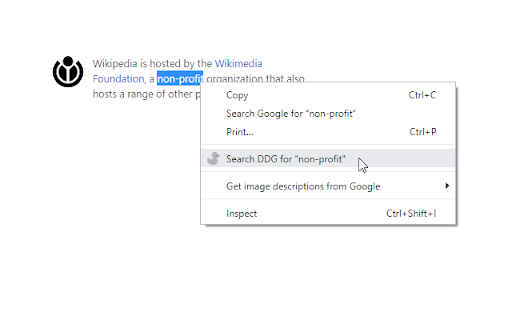
1> Highlight text and right click on it. Select the option to search that text query with DuckDuckGo search engine in a new tab.
2> Type "ddg <space>" in the address bar (omnibox), and type your search query and hit the enter key.
Simple and light-weight extension. Doesn't require any permission. Read more on our homepage: https://browsernative.com/duckduckgo-chrome-extension/
Extension created by BrowserNative, not affiliated with DuckDuckGo.