
Snip - Remove Web Elements
by goodmovies4.0
60 reviews
5.0K
users
Published
July 1, 2024
Screenshots


Description
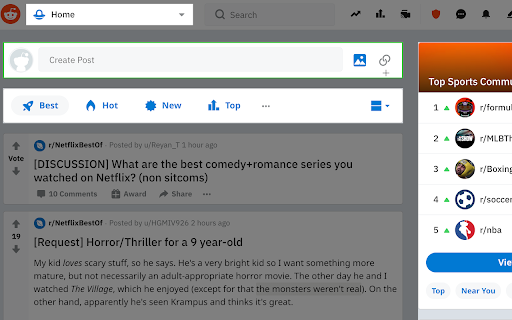
With Snip you can remove any element from any website with just one click. So it only shows what you want to see.
You choices are saved. So next time when you visit the same page those elements will be gone as well.
With Snip you can undo or redo recent changes. You can also review all removed elements and revert any of them.
If you login with your Google account, your choices will be synced to all your devices using that same account.
Version 2.10 changes:
-Add the feature to snip an area of a web page.
Version 2.9 changes:
-Temporarily remove the login button.
Version 2.6 changes:
-Fixed that some elements cannot be snipped.
Version 2.5 changes:
-Fixed some layout issue
Version 2.4 changes:
-Migration to Manifest V3.
Version 2.3 changes:
-Handle the case when first using Snip and the rules don't exist.
Version 2.2 changes:
- Fix the issue that removed elements will appear for a few seconds when reloading the page.
Version 2.1 changes:
- Improve performance when analyzing the page.
Add to Chrome
Quick Info
- Version
- 2.17
- Size
- 66.54KiB
- Price
- Free
- Type
- Extension
Categories
Languages
DeutschEnglishespañolfrançaisitalianoрусскийالعربية中文(中国)中文(台灣)日本語한국어