Hide Twitch Chat Users
by mikeyaworski3.9
13 reviews
466
users
Published
May 23, 2025
Screenshots
Description
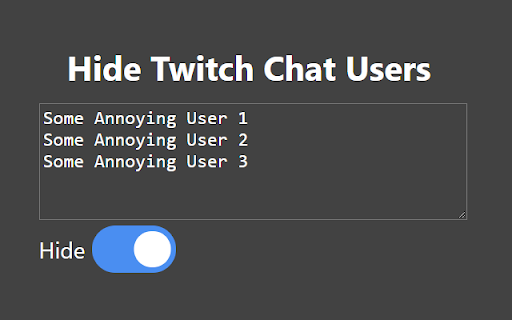
Click on the icon in your chrome menu to edit settings. Enter the names of usernames you would like to hide messages from in Twitch.tv chats (split by whitespace and/or commas).
Check the "hide" checkbox in order for this to take effect. On all Twitch pages, a script will run every 100 milliseconds to hide all messages in chats from the usernames you wrote down.
If you make any changes to the usernames or the checkbox, refresh the webpage for them to take effect.