
Only Read
by Downloadhub5.0
1 reviews
159
users
Published
February 16, 2023
Screenshots


Description
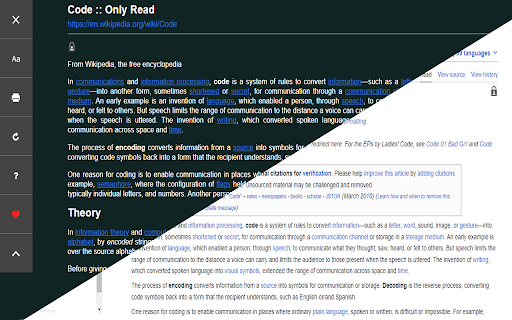
You can open any website or online document in a straightforward and uncluttered environment called Only Read thanks to the lightweight, multi-browser Only Read add-on. The Only Read UI can be accessed by simply clicking the toolbar button. A plain version of the current page (active tab) will be reloaded. When the Only Read UI is active, a toolbar can be seen in the upper left corner. The close button is the first button down from the top. This button will reload the page in the default view when you click it. To access the settings popup, select the second button from the top. For Only Read, three themes are available.
Features
+ Using the toolbar popup UI, access any website directly in reader view.
+ has a indigo, indRed, hotPink, teal, sepia, light, or dark mode.
+ has a font size, line height, or page width adjustment option.
+ Very lite and easy to use Extension.
Add to Chrome
Quick Info
- Version
- 2.0.1
- Size
- 78.21KiB
- Price
- Free
- Type
- Extension
Categories
Languages
EnglishEnglish (United Kingdom)English (United States)españolportuguês (Portugal)中文(中国)