Color Picker & Comparator
5.0
2 reviews
17
users
Published
April 7, 2025
Screenshots
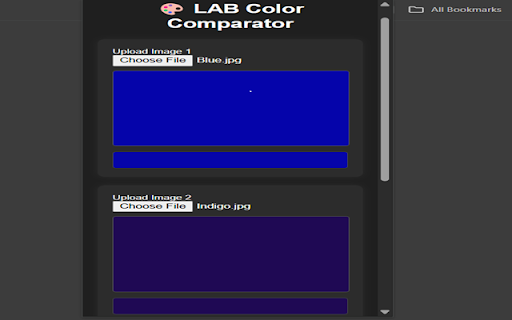

Description
✅ Overview
This Chrome Extension allows users to upload two images, click on any pixel in each, and compare the color values from both images using:
LAB color space (used for perceptual color differences)
RGB values
Hex codes
ΔE (Delta E) – the perceived difference between the two selected colors
🧰 How it Works
Image Upload
Users can upload two different images from their computer.
Each image is rendered on a canvas element.
Pixel Color Selection
Users click anywhere on each canvas to select a specific pixel.
The selected pixel’s color is sampled using the getImageData() method from the canvas.
The sampled RGB is then:
Converted to Hex
Converted to LAB
Color Comparison
After both pixels are selected, the extension:
Displays the LAB values for both
Calculates the ΔE (difference in LAB) to show how different the colors are visually
Shows RGB and Hex codes
Live Visualization
Selected colors are previewed in colored boxes.
Color values and the ΔE difference are shown live.
Comparison History
Every time a pair is selected, it's added to a history log below.
The history shows:
Color 1 and Color 2 previews
LAB values
ΔE value
This helps in tracking multiple comparisons during a session.
Reset & Download
A Reset button clears all images, values, and history.
A Download History button saves the comparison history as a .json file.
📦 Features
Feature Description
🎯 Pixel Picker Click to pick exact pixels, not just image center
🎨 LAB/RGB/Hex Display Shows all relevant color values
📊 ΔE Calculation Perceptual color difference using CIE76
🕹 Modern UI CSS-styled, responsive layout
🧠 Comparison History Save, view, and download color comparison history
🧼 Reset Option Start fresh at any time
🧠 Who Is It For?
This tool is ideal for:
UI/UX designers
Painters and digital artists
Engineers and color quality inspectors
Anyone who needs precise color comparison