
Remove HTML Elements
by Sevina3.7
18 reviews
3.0K
users
Published
June 5, 2025
Screenshots
Description
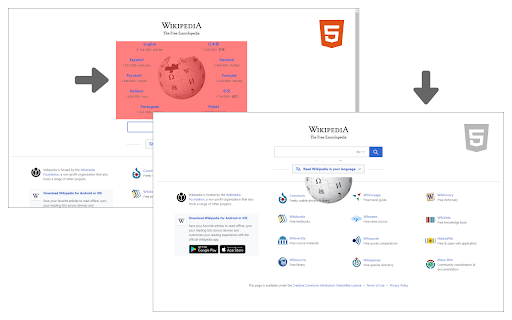
Remove HTML Elements add-on let you easily remove desired elements in any HTML5 webpage.
Simply click on the toolbar button to activate the add-on. Please note that this add-on requires "user action" to be activated. Once it is active, please hover on any element within the page with your mouse. When the mouse pointer is over any HTML5 element, it will highlighted with red color. Now, when you click on the highlighted element, it will be removed from the page.
Please note that, this add-on does not delete the elements from the page, instead, it changes the display property to "none". The add-on supports undo operation via (Ctrl + Z) keyboard combination.
If you found a bug to report, or have a feature request in mind, please fill out the bug report form in the add-on's homepage (https://mybrowseraddon.com/remove-html-elements.html).