
Subtube - Dual Subtitles for YouTube
by English In Games (mobile apps eLang.app)1.0
1 reviews
490
users
Published
March 27, 2024
Screenshots


Description
Skip the boredom! Save time when watching YouTube videos by filtering subtitles and skipping uninteresting parts.
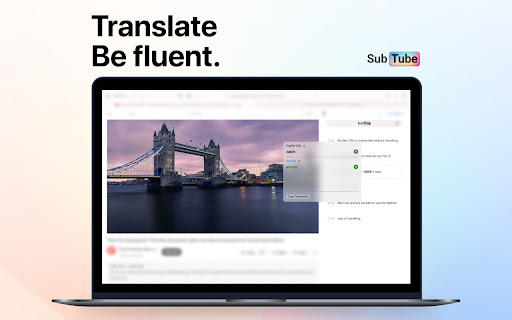
Subtube can translate subtitles into all commonly used languages.
Once you select a specific language, it will translate the caption and display the translated caption below along with the official one.
Functions:
🌟 Translate subtitles into selected language
🌟 Display bilingual subtitles
🌟 Subtitle style is customizable
🌟 No need to configure every time
Subtube converts YouTube subtitles into a convenient, scrollable, and searchable format. Easily dive straight into the juiciest content. Say goodbye to introductions, intermezzos and empty words. If the video contains a lot of speech, read on as the text syncs seamlessly with the flow of the video.
You can also learn English using our mobile application. It is available for free on iOS and Android:
📱 App Store - https://apps.apple.com/by/app/vocabulary-learn-words-daily/id1658981786
📱Play Market - https://play.google.com/store/apps/details?id=com.englishingames.englishcards
Add to Chrome
Quick Info
- Version
- 1.0.0
- Size
- 1.2MiB
- Price
- Free
- Type
- Extension
Categories
Languages
DeutschEnglishTiếng ViệtTürkçeespañolfrançaisitalianopolskisvenskaрусскийукраїнськаहिन्दी日本語한국어