Axle: New Tab Dashboard & Bookmark Manager
by Eric Chen4.9
8 reviews
63
users
Published
March 17, 2025
Screenshots


Description
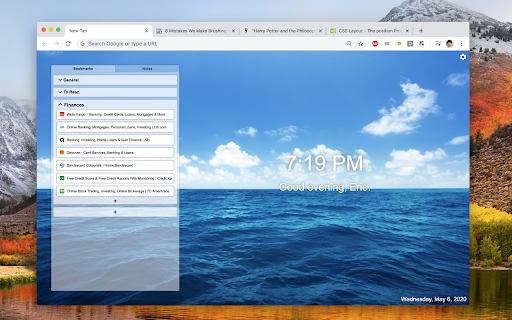
Say hello to your new beautiful new tab page! Axle is a bookmark manager that also transforms your new tab page into your personal landing and takeoff spot for Google Chrome. It has been carefully designed to be simple, clean, and easy to use. Give it a spin!
Features:
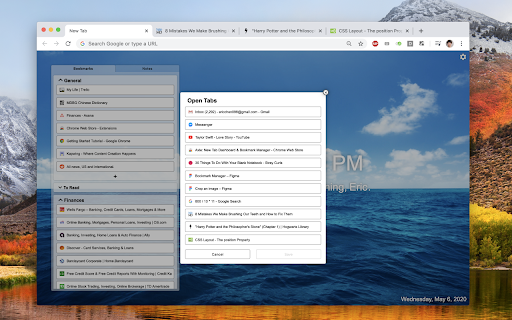
• Create, edit, and re-order bookmarks on your New Tab page.
• Organize your bookmarks into folders.
• Take notes.
• Customize your background image.
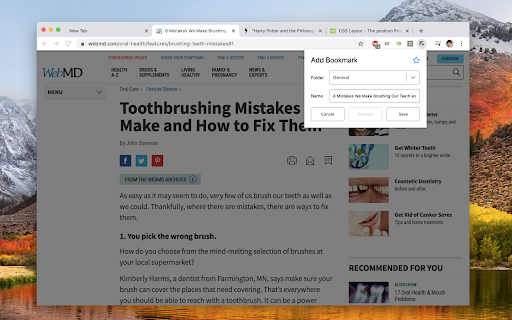
• Quickly add a bookmark from any web page.
Questions / suggestions / comments / anything else?
• I'd love to hear from you! Feel free to leave a comment under "Reviews" or "Support", or email me directly at [email protected].
About the Permissions:
We do *not* collect any personal information or data you store within Axle.
🔒Replace the page you see when opening a new tab
• This is why you installed this chrome extension, right? :)
🔒Read your browsing history
• This is required to fetch information about the tabs you have currently open, so you can conveniently add bookmarks from the new tab page.
• How is this related to browsing history? Being able to see which tabs you have open means we can theoretically save all of your tab information all the time, so we could theoretically begin recording your browsing history. But rest assured, we don't!