
Sports Social Feed
by crownskyllc37
users
Published
June 2, 2022
Screenshots
Description
By clicking “ADD TO CHROME”, you accept and agree to install the Sports Social Feeds Chrome Extension, set the Chrome™ New Tab search to Yahoo, and to the Terms of Use, and Privacy Policy.
The extension requests the following permission:
- Can read and change your data on sites:
http://sports-newz.com/
Terms of Use: http://sports-newz.com/pages/terms-of-use.html
Privacy Policy: https://sports-newz.com/pages/privacy-policy.html
About us: https://sports-newz.com/pages/about-us.html
Contact us: https://sports-newz.com/pages/contact.html
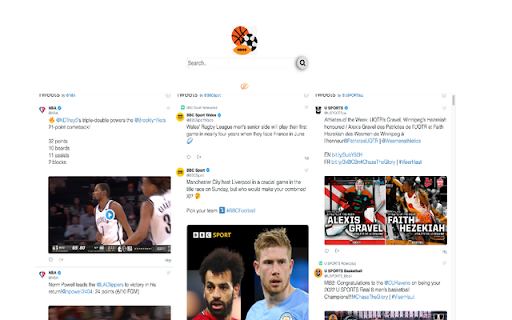
Get the latest sports social feed and updates right at your homepage!
Enjoy an easy-to-use sports-oriented homepage that keeps you connected and up to date with access to top sports social feeds from all over the world right from your browser homepage.
Stay up to date with sports news while enjoying a rich search experience and social networks shortcuts.
For easy access, we recommend pinning the extension to your browser toolbar.
You may uninstall the extension at any time.
To remove our extension from Google Chrome:
1) Click on the three vertical dots icon in the upper right-hand corner of your Chrome browser.
2) Go to "Settings.”
3) In the left menu that appears, click on "Extensions.”
4) From the list of installed Extensions, locate the extension you would like to uninstall.
Add to Chrome
Quick Info
- Version
- 1.2
- Size
- 110KiB
- Price
- Free
- Type
- Extension
Categories
Languages
English (United States)