
Prompt2Notion
by Lex3.0
5 reviews
351
users
Published
July 20, 2023
Screenshots
Description
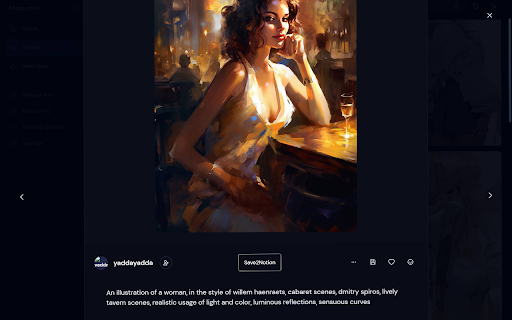
1. Add a "Save2Notion" button on Midjourney's artwork page.
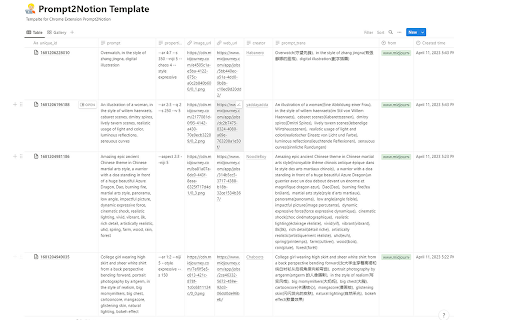
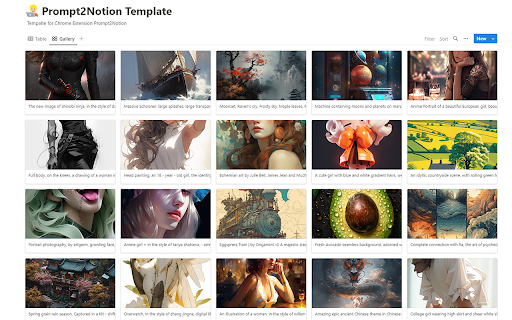
2. Click the button to send the prompt, property, author, image, and web URL to your own Notion Database.
3. Optional translation of the prompt sentence by sentence.
With this Chrome extension, you can quickly save important information from Midjourney's artwork page to your Notion Database.
The "Save2Notion" button allows you to easily transfer the prompt, property, author, image, and web URL to your database with just one click.
You also have the option to translate the prompt sentence by sentence to make it easier to understand.
Streamline your workflow and keep all your important information organized with this handy tool.
----------------------------
v1.0.4 - 20230719
Due to midjourney's recent anti-piracy program (which prevents images from being displayed on non-midjourney sites), images previously saved in Notion get a 403 error!
So now you need to upload the image to imgur to get the new url, so that the image can be displayed properly in Notion.


