Timer
by brillout.com4.0
1,215 reviews
200.0K
users
Published
May 19, 2013
Screenshots

Description
Feel free to write to [email protected] for any Suggestion, Issue, or Question.
【TRY IT】
• To try this Web App without installing go to http://www.timer-tab.com
【FEATURES】
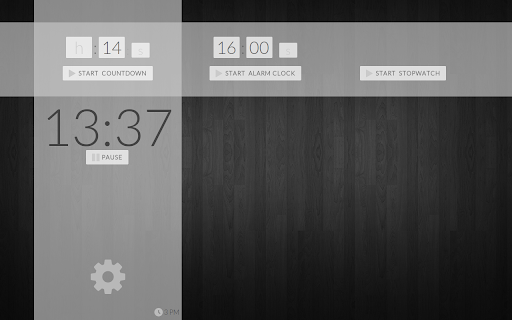
★ Timer Countdown + Alarm Clock + Stopwatch
★ Choose any YouTube clip to use as audio alarm
★ Runs offline [Fallback sound will be played]
★ Use any image on the web as background
【HINTS】
• keyboard control -- arrow keys: control inputs, f: toggle fullscreen, space: toggle pause
• set start time of the YouTube video by appending "t=x" to the YouTube address where x is the start time in seconds
• endless repeat of sound alarm by appending "&repeat" to the YouTube address
• fullscreen countdown by clicking on the countdown
• use the "tab to search" chrome feature to set the Timer Countdown, or Alarm Clock
• http://imgur.com/ comes in handy to use an image saved on your computer as background. http://imgur.com/ allows you to upload an image to the web. Once uploaded copy&paste the new web address of the uploaded image into the settings
Add to Chrome
Quick Info
- Version
- 1.8.0.4
- Size
- 55.2KiB
- Price
- Free
- Type
- Extension
Languages
DeutschEnglishEnglish (United Kingdom)FilipinoIndonesiaKiswahiliMelayuNederlandsTiếng ViệtTürkçecatalàdanskeestiespañolespañol (Latinoamérica)françaishrvatskiitalianolatviešulietuviųmagyarnorskpolskiportuguês (Brasil)português (Portugal)românăslovenčinaslovenščinasuomisvenskačeštinaΕλληνικάбългарскирусскийсрпскиукраїнськаעבריתالعربيةमराठीहिन्दीবাংলাગુજરાતીதமிழ்తెలుగుಕನ್ನಡമലയാളംไทยአማርኛ中文(中国)中文(台灣)日本語한국어