
Mocha Telnet
by mochasoft2.0
43 reviews
3.0K
users
Published
July 1, 2020
Screenshots



Description
*** IMPORTANT ***
We recommend using Mocha Telnet for Chromebook, as Google will soon stop supporting Chrome Apps.
https://mochasoft.dk/chromebook_telnet.htm
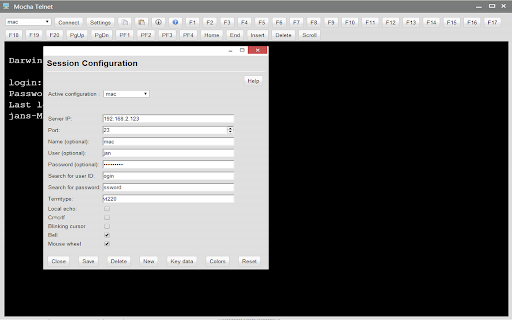
Mocha Telnet/SSH makes it possible to connect to a host with the Telnet or SSH2 protocol and emulate a VT220 terminal.
The trial is valid for 30 days. The product is fully functional. When you order, we will send a software license code, which will remove the 30 days limit.
Mocha Telnet Features:
- Operating Systems: Chrome OS 30.x or better.
- Supports VT100/VT220 emulation
- SSH2 with user/password validation. Certificates are not supported
- Scroll back buffer
- User defined functions keys
- Screen mode 24*80 or 24*132
- Smart font handling. The font size follows the Window size
- Functions keys F1-F20 are part of the Toolbar
- Autologin
- Clipboard
- Colors can be customized
- Free upgrades to new versions of the product
This is a free 30 days trial. A license is 19.85 USD, or 199 USD for a company license.
Changes:
Version 1.1
- possible to configure PF1-PF4 and changes default value to 7 bit for these 4 keys.
Version 1.2:
- TAB + ENTER key could activate the toolbar elements, such as the pop up settings screen.
Version 1.3:
- TAB + SPACE key could activate the toolbar elements, such as the pop up settings screen.
Version 1.4:
- added protocol SSH2.
- Possible to start in 24x132 mode.

