GPT Finder & Helper
by jesselau76208
users
Published
September 27, 2024
Screenshots



Description
🌐 GPT Finder & Helper - Power Up with AI
Discover the magic of AI with "GPT Finder & Helper," your go-to Chrome extension. Whether you’re into customer service, finance, education, or anything else, we have an AI helper just for you.
🚀 Supercharge Your Productivity
- Auto-Continue Feature: Let the extension handle repetitive tasks by automatically clicking "Continue" on tasks. Saves you loads of time!
- Auto-Input Feature: Automatically send out "continue" or any custom prompt you set, great for long tasks.
🔍 Easy GPT Search
Quickly find the best AI for your needs:
- Smart Suggestions: Get helpful, real-time tips.
- Preview AI Skills: Check what each AI can do before you decide.
🌟 All-in-One Platform
"GPT Finder & Helper" isn’t just for searching. It’s a full package:
- Wide Range of AIs: Explore AIs for all sorts of tasks.
- Simple to Use: Easy searching and previewing.
- Clean Interface: Enjoy a clutter-free experience.
🔎 Need More?
If you can’t find what you need in our tool, our Google-powered search is here to help.
👥 Who's It For?
Perfect for business folks, teachers, students, or anyone excited about AI.
📲 Install in a Snap
Just add "GPT Finder & Helper" to Chrome and start transforming how you interact with AI.
🔧 Interactive Chat Features
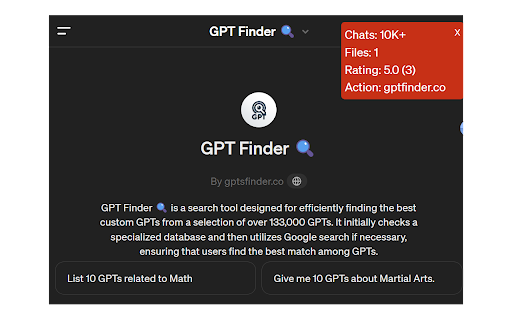
- Insightful Chat Count: Monitor your interactions with each GPT to gauge its popularity and reliability.
- Rating Scores and Counts: View user ratings of the GPTs.
- File Count Display: Check how many files each GPT's knowledge base contains.
- Action Domain Display: Identify the action domain each GPT specializes in.
🖱️ Right-Click Submission Tools
- URL Submission: Right-click to submit the current URL to our Landing Page Wizard for enhancements.
- Text Submission: Right-click to send selected text for grammar corrections or to enrich with emojis.
- Text Translation: Right-click to translate selected text into various languages using our Translator GPT.
🔔 Ready to Start?
Jump into the world of AI with GPT Finder & Helper. Begin your adventure today!
New version support new chatGPT interface.