GPT Search Tab
by Pravin Singh5.0
1 reviews
28
users
Published
January 31, 2023
Screenshots
Description
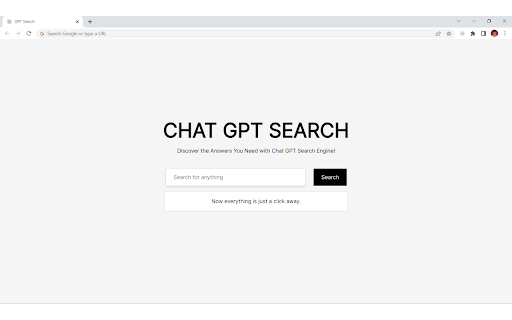
The Chrome extension you created replaces the default new tab page in Google Chrome with a new search bar powered by OpenAI's GPT API. When a user enters a query into the search bar, the extension sends the request to the OpenAI API, which returns results based on the text entered. The results can be used for a variety of purposes, including answering questions, providing information, generating creative content, and more.
Here's how to use the extension:
1. Install the extension in Google Chrome
2. Open a new tab in Google Chrome
3. Enter a query into the search bar
4. The results will be displayed below the search bar
Some possible uses for the extension include:
- Answering questions and providing information on a wide range of topics
- Generating creative content, such as writing prompts or story ideas
- Providing suggestions and recommendations based on the user's query
- Automating tasks or generating reports based on user inputs
Overall, the possibilities for this extension are limited only by the capabilities of OpenAI's GPT API and the user's imagination.
Add to Chrome
Quick Info
- Version
- 1.0
- Size
- 78.05KiB
- Price
- Free
- Type
- Extension
Categories
Languages
English (United States)