Attentional – Hide distracting content
by attentional.dev3.7
3 reviews
630
users
Published
August 2, 2022
Screenshots

Description
No more unwanted news feeds, notification bubbles or featured sections –
Control your attention by hiding distracting content 🙈
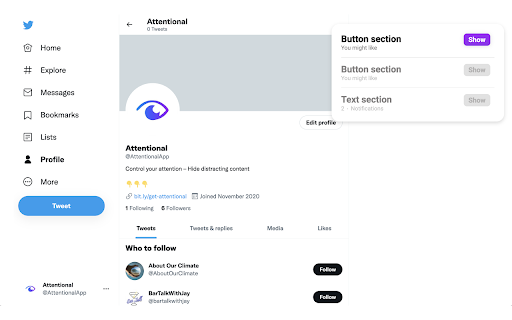
Simply right-click on a distracting element on any page and select "Hide".
All hidden content will remain hidden until the next time you load the page. To un-hide something, press the app icon and select the element to show.
The code can be found here:
https://github.com/Klingefjord/attentional
If you like this app, consider supporting me in making it even better 🙏
https://www.buymeacoffee.com/8p8vcb7kgyG
/Oliver
Add to Chrome
Quick Info
- Version
- 0.0.1.2
- Size
- 637KiB
- Price
- Free
- Type
- Extension
Categories
Languages
English (United States)