ShakeToPinTab
by kent.ruffle.mgj6264.0
1 reviews
134
users
Published
April 14, 2022
Screenshots

Description
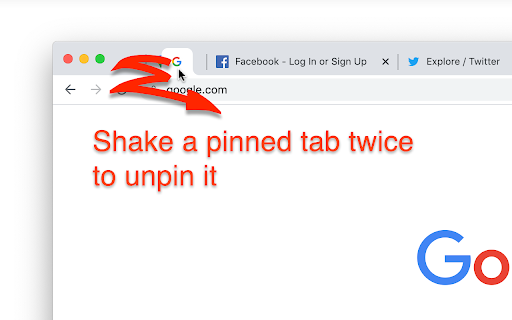
To pin a tab, shake an unpinned tab twice (move left, right, left, right, or the reverse).
To unpin a tab, shake a pinned tab twice (move left, right, left, right, or the reverse).
The tab can be pinned only when there are 2 or more unpinned tabs. Conversely, the tab can be unpinned only when there are 2 or more pinned tabs.
I'm sorry I can't be any help when the pinned or unpinned tab is isolated.
This extension will be active just by being installed. It doesn't have an option view, a popup view etc.