SuperFocus - Time Tracker, Block Sites, Hide Distractions
by Dictanote4.5
17 reviews
630
users
Published
July 16, 2025
Screenshots

Description
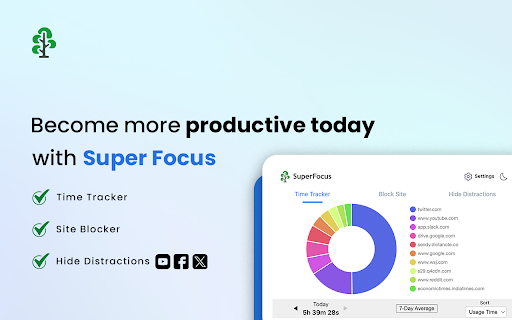
The SuperFocus extension is the ultimate one-stop productivity extension with three powerful features:
✅ Time Tracker: Discover & Track Your Browsing Habits
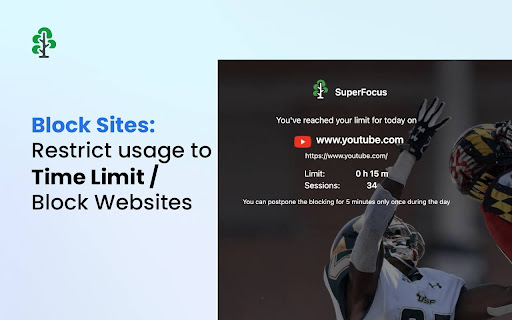
✅ Block Sites: Restrict Usage To Time Limit / Block Websites
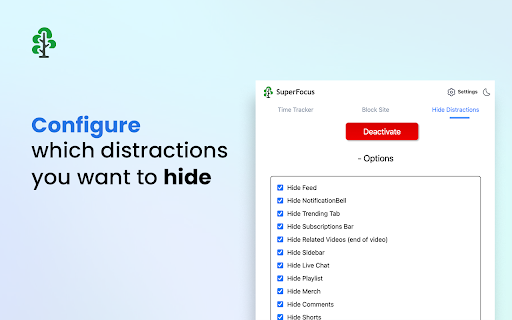
✅ Hide Distractions: Minimize Distractions Like Algorithmic Feeds, etc.
Time Tracker tracks your time spent on all websites. You can visualize the time spent on any website across days and in Settings, get your full historical data with advanced analytics. Use Time Tracker to understand your web usage and which sites are wasting your time.
Use the Block Site feature to restrict the time spent on a particular website. You can set a daily usage limit (like 15 minutes), after which the site will get blocked. Or you can outright block it by setting the usage limit to 0 minutes.
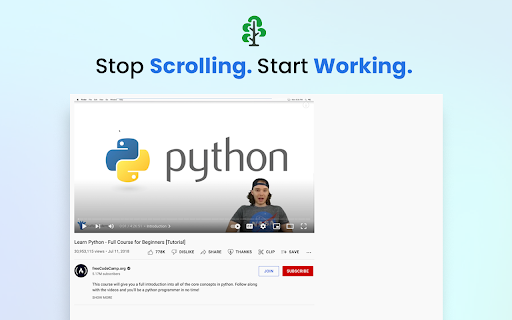
Hide Distractions lets you minimize distractions like algorithmic feeds, notifications, comments, etc., to keep your focus sharp.
You can find more information on the SuperFocus website at https://getsuperfocus.com/
Add to Chrome
Quick Info
- Version
- 2.5
- Size
- 2.1MiB
- Price
- Free
- Type
- Extension
Categories
Languages
DeutschEnglishFilipinoIndonesiaMelayuNederlandsTiếng ViệtTürkçecatalàdanskeestiespañolfrançaisitalianolatviešulietuviųmagyarnorskpolskiportuguês (Brasil)português (Portugal)românăslovenčinaslovenščinasuomisvenskačeštinaΕλληνικάбългарскирусскийсрпскиукраїнськаעבריתالعربيةहिन्दीไทย中文(中国)中文(台灣)日本語한국어