
SEO GPT
by SEO GPT5.0
24 reviews
920
users
Published
January 5, 2024
Screenshots
Description
The SEO GPT Chrome Plugin is a revolutionary tool that harnesses the power of AI to streamline your SEO tasks. Built on years of SEO expertise and thousands of successful projects, this next-gen app offers a comprehensive suite of on-page and off-page optimization features!
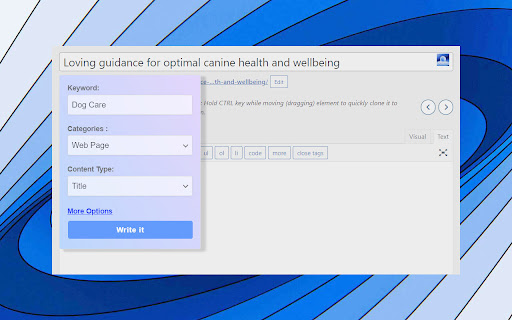
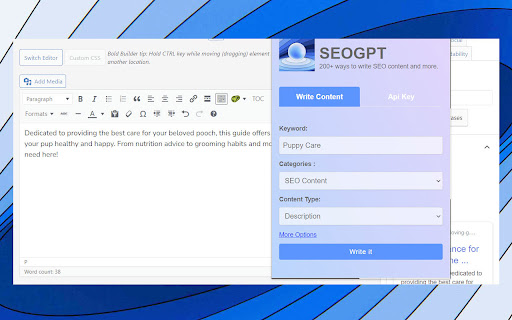
Craft search-friendly Titles and Descriptions: Simplify the process of creating compelling titles and descriptions for your pages or backlinks. SEO GPT uses your provided keyword and URL to generate white-hat content, mimicking the strategic approach of a seasoned SEO analyst.
Evade AI Detection: Our plugin has been rigorously tested through various AI detectors and plagiarism checkers, including but not limited to Copyleaks, Crossplag, Content at Scale, Small SEO Tools, and Duplichecker. Even those claiming to detect GPT-3/GPT-4 models have been outsmarted. We invite you to put it to the test!
Natural Language Generation: SEO GPT is designed to produce outputs that are coherent and natural, avoiding awkward phrasing or forced keyword stuffing.
Analyze Page Content: SEO GPT goes beyond surface-level analysis. It "reads" the content on your page like a human would, using this analysis to craft SEO-optimized titles and descriptions.
Tailored for SEO: Whether you're an SEO agency or an individual, SEO GPT makes it easy to create short, impactful content. Choose from over 200+ content styles commonly used in SEO and watch as the plugin transforms your SEO strategy.
NEW Version 0.9
- Improved AI responses
- Faster AI writing
- Improved Auto parameters
- Improved in-field popup
Get even more ways to write and improve SEO from https://seovendor.co/seo-gpt/
Add to Chrome
Quick Info
- Version
- 0.9
- Size
- 110KiB
- Price
- Free
- Type
- Extension
Categories
Languages
English (United States)