
Smart HTTPS
by Lynn4.4
34 reviews
20.0K
users
Published
April 11, 2025
Screenshots

Description
Smart HTTPS is an extension that helps you always use the secure HTTPS protocol if it is supported by the site's server.
It automatically changes the HTTP protocol to the secure HTTPS, and if loading errors occur, the extension will revert to the original HTTP protocol.
Key features
a. Automatically change all HTTP requests to the secure HTTPS.
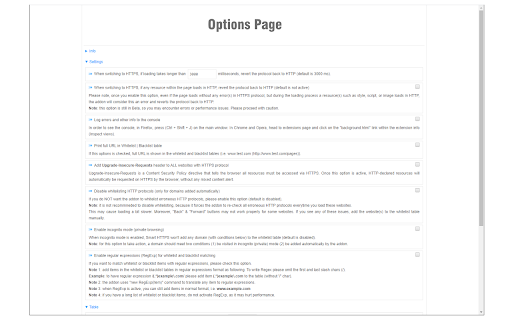
b. All websites (addresses) that do not support HTTPS are remembered to speed up the protocol-check process. Note that you can see and delete these items from the extension's Options page.
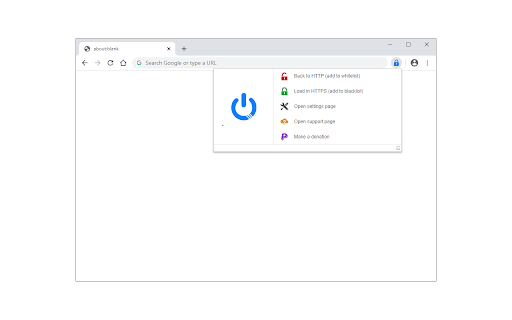
c. The toolbar button serves as the extension's ON|OFF switch. Blue indicates ON and Gray is OFF.
d. Add desired websites to the whitelist (see Options page).
Note: to report bugs, please visit the extension homepage (https://mybrowseraddon.com/smart-https.html) and find the bug report form.







![Basketball Legends [Unblocked]](https://lh3.googleusercontent.com/Mo9JTzZcYEyWBAo8R3WARxojlDK5ff1tGFsmaoS9tdHB96Szag7qe_uuSn_0SO-hg0Mfsx35_a7GyyfkPqLq9lRByQ)