Trippy Circles
by bensuva1020305.0
25 reviews
1.0K
users
Published
July 11, 2023
Screenshots


Description
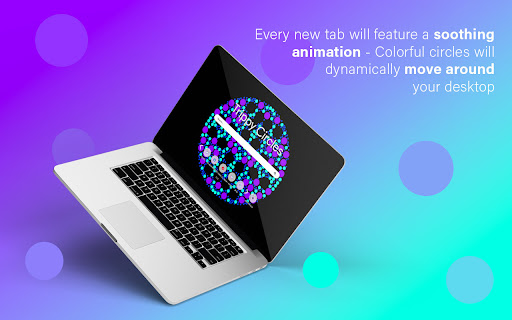
Trippy Circles is the perfect extension for anyone who wants to improve their productivity and focus. By having amazing animation on each new tab, you will inspired to surf the Web with more joy. This extension is also great for keeping your bookmarks organized and accessible.
By clicking "Add to Chrome", you accept and agree to installing the Trippy Circles extension and setting Chrome™ default search to that provided by the service and the Terms of Use and Privacy Policy. The extension will update your search settings and will change your search engine to be powered by Bing.
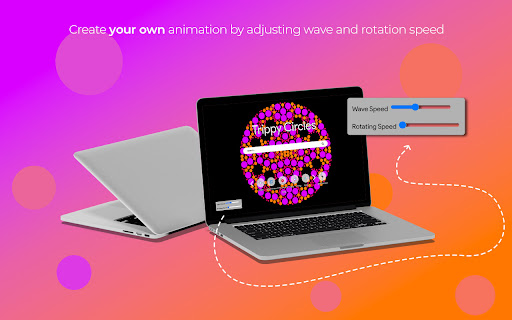
This extension's main objective is to make users' internet searches and browsing more entertaining and exciting. You will always see these incredible animations when you open a new browser, and they will undoubtedly make you smile. The best part is that by modifying wave and rotation speed, you can even create your own animation. The addon Trippy Circles is ideal for anybody looking to increase their attention and productivity.
You may also utilize the middle-of-the-screen Search Bar that we added. It is simple to use and impossible to overlook!
We believe this is a must-have extension because by utilizing all of these straightforward yet helpful features, you can really increase your attention and concentration during the course of the day.
Get to learn more about our extension here:
Homepage: https://trippycircles.net/index.html
Check our Privacy Policy here:
PP: https://trippycircles.net/privacy-policy.html
Here are the steps for the extension's removal:
a) Chrome - right clicking the extension icon on the menu bar and clicking "remove from chrome".
b) Firefox - clicking "menu" -> "Add-ons" -> "Extensions" -> Pressing "remove" button of the extension.
c) Edge - right clicking the extension icon on the menu bar and clicking "remove from Microsoft edge".
Contact us for more information:
Contact: https://trippycircles.net/contact.html