LinguaVoice
by linguavoice15.0
11 reviews
11
users
Published
September 10, 2024
Screenshots


Description
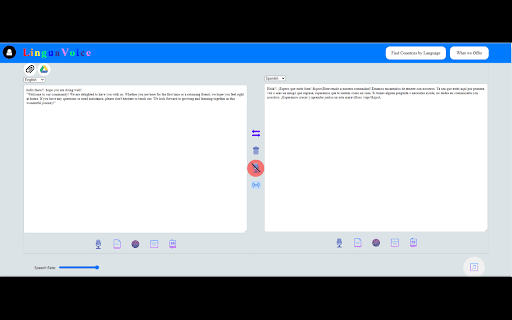
Translate the input text to different Languages and Read aloud the Text. Save pdf for the Text, Find word in Dictionary. It can do the following tasks:
1-Convert Text to other Languages.
2-Select Any Text, right click on it,Click on Extension name and speak the Text in Selected
3-Speak Input Text.
4-Speak Output Text.
5-Save Input Text in pdf form.
6-Save Translated Text in pdf form.
7-Extract Text from images.
8-Search input word and Translated words directly in Dictionary.
9-Search input word and Translated words directly in Wikipedia.
10-Search input word and Translated words directly in ChatGpt.
11-Detect copied Text Language and set it automatically.
12-Search input word and Translated words directly in ChatGpt.
13-Voice input and Translated voice Output.
14-Find Countries by Language.