xify
by venus3.5
6 reviews
279
users
Published
November 25, 2025
Screenshots


Description
Modifies twitter/x.com links to vxtwitter/fxtwitter. Use the keyboard shortcut ctrl+shift+K/cmd+shift+K to copy a twiiter link as vxtwiiter/fxtwitter link.
Why this?
Twitter link embeds in discord are often broken these days and it's annoying to edit each link manually whenever you want to share a twiiter link on discord, so this extension helps you use vxtwitter links to fix embeds with ease.
How to use?
Step1: Install the extension.
Step2: Go to any twitter.com url, and press Ctrl + Shift + K. And that's it. The extension will copy the link as a "vxtwiiter/fxtwitter" link and you can share the link to discord without thinking twice about embed fails.
How to switch between vxtwitter and fxtwitter?
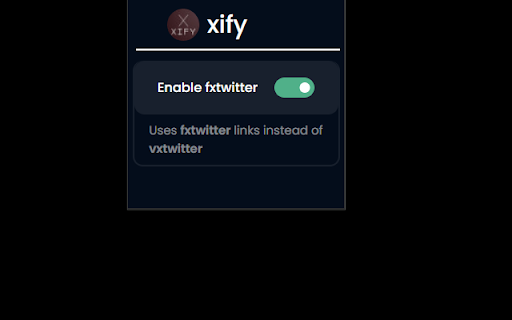
By default the extension uses "vxtwitter/fxtwitter" links. You can enable the option "Enable fxtwitter" from the extension popup to use fxtwitter links instead of vxtwitter.
How to get modified links on copy (Ctrl + C) shortcut directly?
By default, the extension only modifies links on custom shortuct (Ctrl+Shift+K). You can enable the option modify on copy from the extension popup to let the bot use modified links on copy shortuct (Ctrl+C) directly.
Note: If the modified url is not working when you use the Ctrl+Shift+K shortcut, manually register the shortcut by following the below steps.
1. Go to "chrome://extensions/shortcuts"
2. Look for xify extension
3. Click on the edit icon for the "copy to clipboard" option and press "Ctrl+Shift+k"
Have any issues or need help with using the extension?
Join the discord support server: https://discord.gg/S3hhw9kSKV