Dictionary
by Dan Mehr5.0
2 reviews
178
users
Published
November 1, 2023
Screenshots


Description
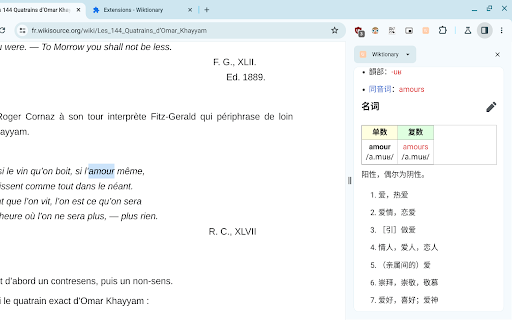
Find the definition of any word on a web page. Uses the side panel.
- search on highlight
- popup mode (English only)
- available in 162 languages
- free and open source
Usage instructions:
- Open the side panel by clicking the extension icon.
Note: You need to enable the Side Panel feature in Chrome.
- Once the side panel is open, search Dictionary by highlighting a word.
- To change the language of Dictionary, right-click the extension icon and select "Options".
- Popup Mode: Highlight a word by double-clicking or dragging to see its definition(s) in a popup. Popup Mode is only available in English.
Alt + P is the shortcut to enable/disable popup mode. You can change this shortcut in chrome://extensions/shortcuts
Note: In PDF files, the methods above do not work. Instead, while the side panel is open, highlight a word, right-click it and select "Search on Wiktionary.org".