
EZ Apply
by rahul.pillai0316
users
Published
January 20, 2023
Screenshots

Description
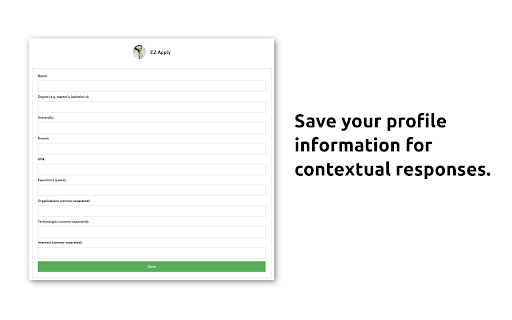
The Chrome extension, "EZ Apply" utilises the power of the ChatGPT API to assist users in efficiently completing forms.
With the extension, users have access to the following features:
- Generating Responses: The extension offers a convenient feature for generating personalised responses to questions on job application forms. By simply highlighting the question with your mouse, right-clicking, and selecting "Get a response" from the “EZ Apply with ChatGPT” option the extension utilises the ChatGPT API to generate a response tailored to the profile of the user. This generated response is automatically copied to your clipboard, allowing you to easily paste it into the appropriate text box.
- Paraphrasing: The paraphrasing feature utilises the ChatGPT API to rephrase text written by the user. This can be useful when a candidate wants to convey their ideas in a different way. To use this feature, simply highlight the desired text, right-click, and select the "Paraphrase" feature from the “EZ Apply with ChatGPT” option. The rephrased text will automatically replace the original text in the text box.
Creators:
- Faizan Shaikh (https://www.linkedin.com/in/faizanshaikh17/)
- Rahul Pillai (https://linkedin.com/in/thegeekylad)
The project is open source and can be found at: https://github.com/faizan171997/ez-apply-extension.
Add to Chrome
Quick Info
- Version
- 1.0.1
- Size
- 126KiB
- Price
- Free
- Type
- Extension
Categories
Languages
English (United States)