Save Multiple Bookmarks
by extensions.cs4.3
6 reviews
193
users
Published
October 1, 2022
Screenshots
Description
Use this extension to:
• Save multiple bookmarks simultaneously and edit them as you save.
• Create new bookmark folders.
How to use:
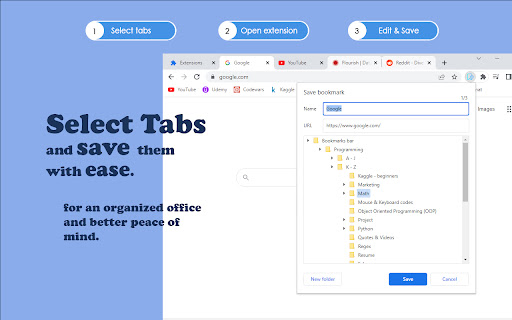
• Select the tabs you want to save with 'Ctrl + Left Mouse Click'.
• Activate the extension, edit the Title or URL of the shown bookmark, and choose a folder to save it to.
• Click save or press 'Enter'.
• Next selected bookmark will appear.
Full keyboard accessibility is supported.
Happy organizing!