
DB Memo Pad
by DestructiveBurn5.0
2 reviews
36
users
Published
March 15, 2024
Screenshots

Description
How Does it Work?
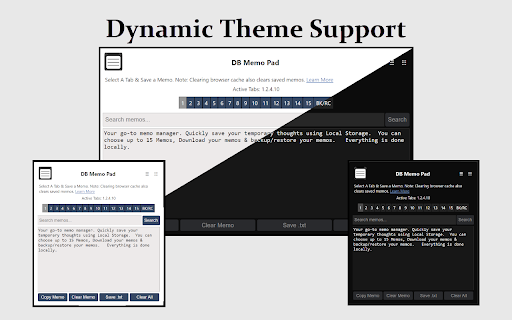
DB Memo Pad uses local storage to instantly save text entered in textarea inputs on your device.
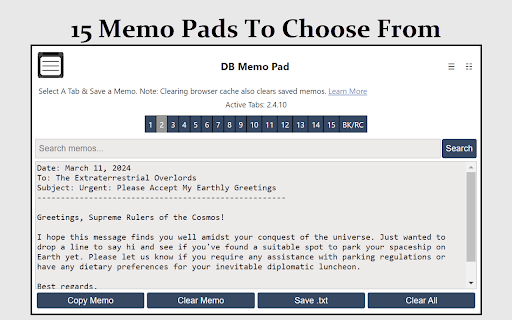
1. Active Tabs: Displays the tabs in use among the 15 available, helping in managing your memos.
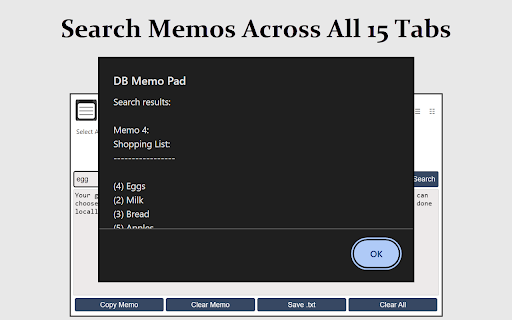
2. Search Memos: Quickly locate specific content across all memos with a search feature, presented in an alert popup.
3. Below the textarea input, find:
-- Copy Memo: Copies text from the active memo tab to the clipboard.
-- Clear Memo: Clears text from the active memo.
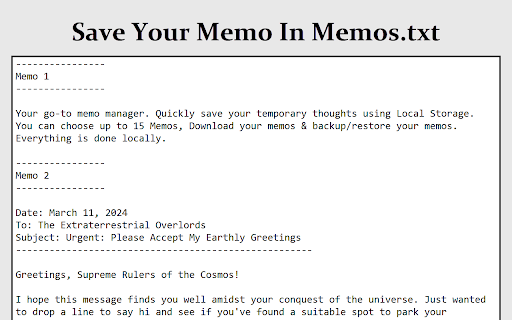
-- Save .txt: Saves all memos to a 'Memos.txt' file for local storage.
-- Clear All: Deletes all memos across every tab, irreversible action.
4. BK/RC Tab: Offers a backup and restore system for all memos. Additional buttons include:
-- Backup?: Fetches and displays all local storage Key/Values for DB Memo Pad in the textarea input.
-- Save Backup .txt?: Saves all local storage data to 'Memo-Codes.txt' for local storage.
-- Replace?: Restores memos from 'Memo-Codes.txt'. Simply copy text data from the file and paste it into the Backup Recovery Codes input, then press Replace.
Privacy
- This extension does not gather any personal information or browsing history from users. 0 Tracking, 0 data collection.
- Users can rest assured that their browsing activities remain private and are not monitored or shared with any third parties.
- The extension does not require any libraries linked outside of the extension aka "remote code". Just requires the browser's local storage to save your settings.
Changlog/Bug Fixes:
https://destructiveburn.com/forum/public/d/22-db-memo-pad-changelog-news
More About the Extension here:
https://destructiveburn.com/forum/public/d/21-db-memo-pad-browser-extension
Add to Chrome
Quick Info
- Version
- 1.0.0
- Size
- 11.54KiB
- Price
- Free
- Type
- Extension
Categories
Languages
English (United States)




![Cat Ninja [Unblocked]](https://lh3.googleusercontent.com/rQ_gLT0dHVH-phXewT5zhwTtstVXR7DyhhlqN_Z3rADJpagFCZOni2uxK8C1gCKShe41zkjPzpbqh-BnOZc9pE1i)