
Audio Booster for Youtube
by BestChromeExtensions5.0
1 reviews
689
users
Published
June 10, 2025
Screenshots
Description
Have you ever watched video on YouTube and felt the sound was too quiet? 😕 Did you have to turn up the volume to the max and still weren't satisfied? 📉 Enter Audio Booster for YouTube - your solution to the problem of a quiet audio track in online media! 🚀
What is Audio Booster for YouTube?
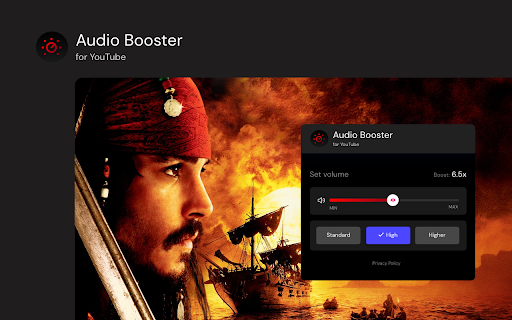
Audio Booster for YouTube is an innovative extension for the Chrome browser 🌐, allowing you to increase the maximum volume of audio played on YouTube. Easily adjust the volume using a slider 🎚️ or predefined buttons in the extension's pop-up menu to achieve the optimal sound level. 🔊
Features
🔹 Volume Increase: Set the volume according to your needs.
🔹 Predefined levels: Choose from ready-made volume settings for quick adjustment.
🔹 Compatibility: Designed specifically for use with YouTube.
How to use? 🛠️
Install the extension from the Chrome Web Store.
Open video on YouTube. 🎬
Click the extension icon in the browser bar. 🖱️
Use the slider or predefined buttons in the extension's pop-up menu to increase the volume. 🎧
❗**Disclaimer: All product and company names are trademarks or registered trademarks of their respective holders. This extension holds no association or affiliation with them or any third-party companies.**❗
Add to Chrome
Quick Info
- Version
- 0.0.3
- Size
- 55.59KiB
- Price
- Free
- Type
- Extension
Categories
Languages
DeutschEnglishespañolfrançaispolski

![HBO Max SubStyler: Customize subtitles [QVI]](https://lh3.googleusercontent.com/fyPq0sGPvHoD4oN6sHl3OyB36uaN6Uw0aMrwNvU0EEvKyiHGdmG1y_Mb7GfWg72lzew3x6QO772Ip6pd5i212lrL4A)


![Customized subtitles, works with Paramount+ [QVI]](https://lh3.googleusercontent.com/PU_EpLg5sREyrLv5NyR9-YCFhOzjTMKsRpkG8LBFthTyoUxtHfP0dokjw6wGINJqqPFciF6VDPK1_sMpVDXHtIcre24)