
Glimpse: Toggle Password with Shortcut Keys
by walterteng.com5.0
1 reviews
34
users
Published
April 7, 2025
Screenshots


Description
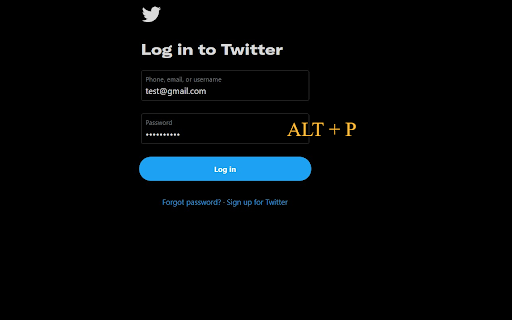
Not all websites provide the option to toggle the visibility of the inputted passwords. This may be frustrating when you think you have mistyped a letter.
Glimpse helps you show / hide any password fields easily with shortcut keys (ALT + P / Option + P) or a quick right-click from the context menu to catch any typos.
Whether a site already supports password toggling or not, Glimpse extends this functionality exactly when you need it. Additionally, you can access the same functions using the same Glimpse shortcut keys!
The shortcut key is also configurable via the Chrome extensions shortcut menu.