Page Plain Text
by VincenzoDeVivo.Com4.2
12 reviews
6.0K
users
Published
August 19, 2023
Screenshots
Description
[Features]
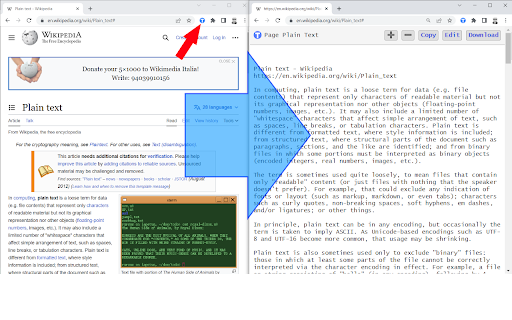
- Shows page plain text (keyboard shortcut: Ctrl + Shift + 1)
- Extracts text from the selection on the page
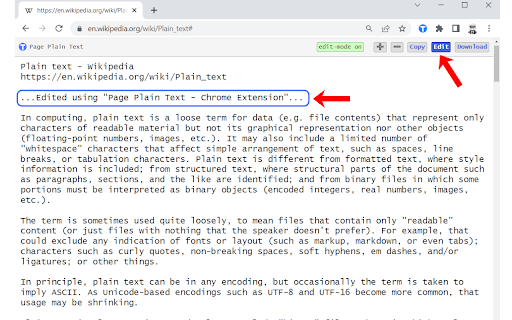
- Text editing
- Download page plain text (keyboard shortcut: Ctrl + Shift + 2)
- Removes all formatting from text
- Removes all advertising to focus only on the content of the text
- Copy text to use it in other documents (keyboard shortcut: Ctrl + Shift + 3)
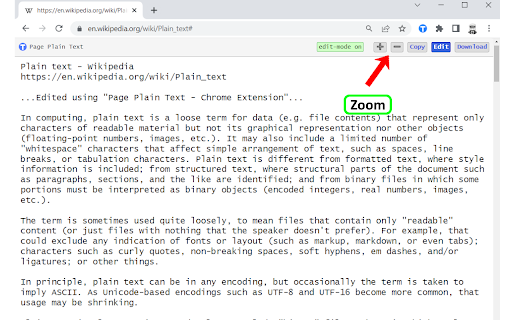
- Zoom In and Zoom Out text to improve legibility (keyboard shortcut: Ctrl + ➕ / Ctrl + ➖)
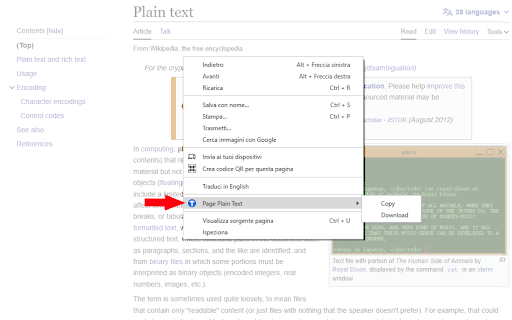
- Contextual menu to quickly copy or download the plain text of the current page
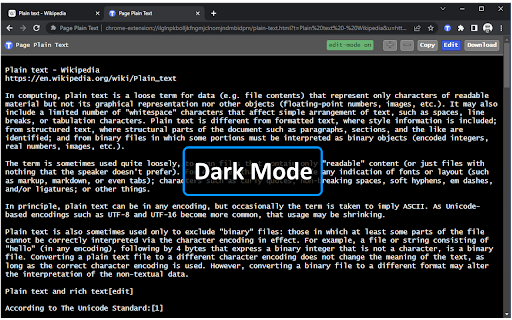
- Dark Mode color scheme
[Keyboard Shortcuts]
To change the keyboard shortcuts of the extensions you can go here: chrome://extensions/shortcuts
[Links]
- My Home page: https://www.vincenzodevivo.com/
- My GitHub: https://github.com/deltavi
☕BUY ME A COFFEE
Want to buy me a coffee? By all means! Visit
https://www.buymeacoffee.com/vincenzodevivo or https://www.paypal.com/paypalme/VincenzoDeVivoAutore
... or you can buy my books on Amazon 📚 www.amazon.it/Vincenzo-De-Vivo/e/B09MPTBBFY
Add to Chrome
Quick Info
- Version
- 1.2
- Size
- 2.05MiB
- Price
- Free
- Type
- Extension
Categories
Languages
English (United Kingdom)