
Notes
by syafamaryam22214
users
Published
October 10, 2023
Screenshots
Description
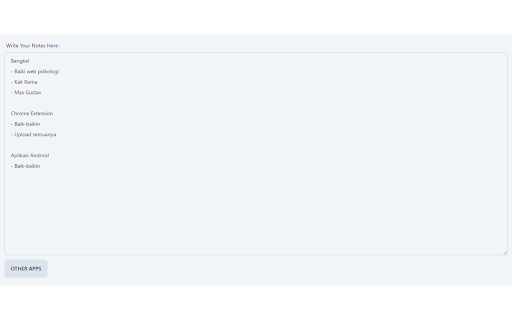
Are you tired of losing your important notes and thoughts? Introducing "Notes," a lightweight and user-friendly Chrome extension that helps you effortlessly manage your notes. With Notes, what you write in the textarea is automatically saved to your local database, ensuring you never lose your valuable information.
**Key Features:**
- **Automatic Local Storage:** Everything you type in the textarea is automatically saved to your local database, so you can access your notes from any device with your Chrome browser.
- **Sleek and Simple Design:** Notes features a clean and intuitive interface, allowing you to focus on your thoughts without distractions.
- **Secure and Private:** Your notes are stored securely on your local machine, ensuring your data remains private and confidential.
Take control of your note-taking experience with Notes, the simple yet powerful Chrome extension that keeps your thoughts at your fingertips.
**How to Use:**
1. Install the "Notes" Chrome extension.
2. Open the extension by clicking on the icon in your browser's toolbar.
3. Start typing your notes in the provided textarea.
4. Your notes are automatically saved to your local database, making them accessible whenever you need them.
Say goodbye to lost notes and disorganized thoughts. Install "Notes" today and streamline your note-taking process.
Add to Chrome
Quick Info
- Version
- 0.0.1
- Size
- 8.85KiB
- Price
- Free
- Type
- Extension
Categories
Languages
English (United States)