Page Screenshot
by MeryDev3.7
6 reviews
10.0K
users
Published
December 16, 2025
Screenshots

Description
Page Screenshot is an addon that enables you to capture a full-page screenshot from any desired website.
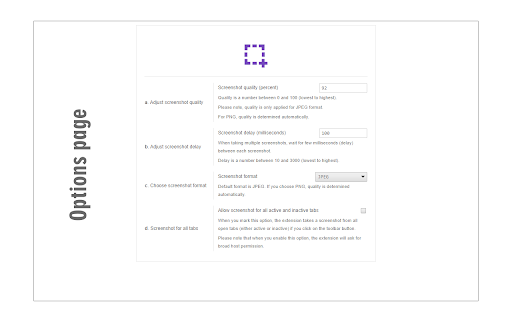
Please click on the toolbar button (or press Alt+Shift+D combination) to capture the screenshot. You can adjust the screenshot image format from the options page. Moreover, image quality and the time delay between multiple screenshots are also customizable. The screenshot will be saved to the default download location in your browser. Please note, to change the download location, visit the settings page in your browser.
Note 1: you need to "reload" all opened tabs before using the addon.
Note 2: for long-page websites, Page Screenshot automatically scrolls the page from top to bottom (vertical scroll) to capture the screenshot. But, it does not have a horizontal scroll in case the page is too wide.
To report bugs, please fill out the bug report form on the addon's homepage (https://mybrowseraddon.com/page-screenshot.html).