myVocabs: Save Words and Expand Your Vocabulary Effortlessly
by ibrahem magdy4.1
20 reviews
2.0K
users
Published
February 2, 2025
Screenshots


Description
📚 Effortlessly expand your vocabulary with the Save Words Chrome Extension.
🧠 Learn and memorize new vocabulary easily with the Save Words Chrome extension. It's like having a vocabulary tutor while you browse the web.
New Feature!
🔑 Sign in to myVocabs: To get started, sign up on myvocabs.com, where you can organize your saved words, add definitions, example sentences, and more. After signing in, use the extension to save words directly to your personal vocabulary list.
🤩 Why Choose Save Words?
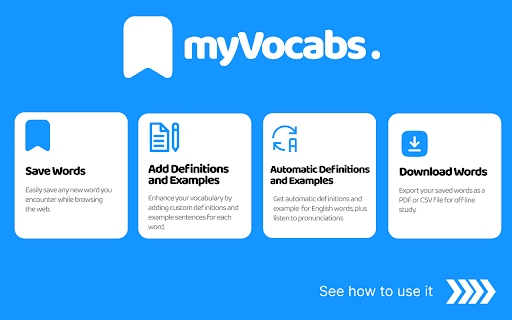
💾 Word Saver: Click to save any new vocabulary you find online. No more forgetting those interesting words you come across.
📁 Easy Organization: Keep all your saved words neatly in one place on MyVocabs. Review them anytime you want.
➕ Add Your Words: Want to remember a specific word? Add it yourself on MyVocabs for quick learning.
📥 PDF/CSV Downloads: Turn your vocabulary list into a handy PDF or CSV for studying offline.
🎯 Who's It For?
🌐 Language Learners: Perfect for anyone learning a new language.
🖋️ Writers: Improve your writing by expanding your vocabulary.
🤓 Word Lovers: If you just enjoy learning new words, this is for you.
Start Learning Today!
🚀 Install the Save Words Chrome extension now, sign in to myvocabs.com, and watch your vocabulary grow effortlessly.
Add to Chrome
Quick Info
- Version
- 3.1.1
- Size
- 60.57KiB
- Price
- Free
- Type
- Extension
Categories
Languages
English (United States)