
Relative Bookmarks
by duiker10133
users
Published
October 30, 2021
Screenshots
Description
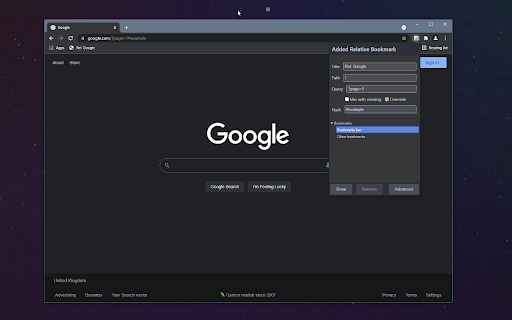
Relative bookmarks let you navigate to specific parts of URL to navigate to rather than the whole. This behavior is extremely useful if you have the same page on different hosts.
For example, if you were to own example.com, local.example.com, and test.example.com, if you wanted to bookmark the /about page, you would generally need 3 bookmarks.
With Relative Bookmarks you can just bookmark /about and on whatever website you are on, you will navigate to /about.
Relative Bookmarks also lets you bookmark only the query string of a page, with the ability of mixing and overriding query parameters.
Usage
- Click the Add relative bookmark
- The bookmark will be immediately added
- You can modify it by selecting a folder or changing the titles
- Click Advanced to show the fields to modify each individual value
- Click Done once you finished editing to save the changes
- Click Remove if you would like to discard the current new bookmark
Add to Chrome
Quick Info
- Version
- 1.0
- Size
- 105KiB
- Price
- Free
- Type
- Extension
Categories
Languages
English (United States)