Vertical Tabs in Side Panel
by Jackie(Guokai) Han4.4
256 reviews
100.0K
users
Published
November 14, 2024
Screenshots


Description
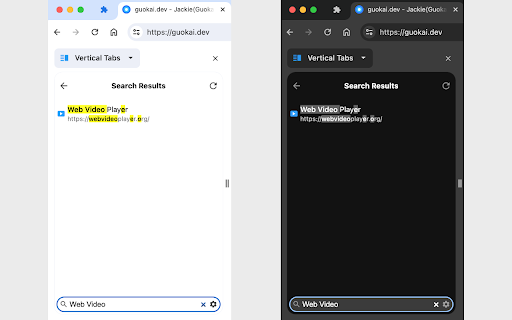
This extension lets you display and manage tabs vertically in the browser sidebar, supports light and dark themes and search functionality.
2023/12/21 Update: Support Tab Groups, including collapse/expand a group, drag and drop a group and context menu (i.e. right-click) on a group.
Two Ways to Open the Extension Sidebar:
1. Click the Extension icon. You need to "Pin" the extension to the browser toolbar.
2. Use shortcut keys. Please set it at "chrome://extensions/shortcuts" by yourself, the default is Alt+V .
How to use the extension:
1. Single Click: switch to the tab.
2. Double Click: close the tab.
3. Middle Click: close the tab.
4. Right Click: functions such as closing, pinning, and duplicating the tab.
5. Drag and Drop: move the position of the tab.
6. Bottom Toolbar: search tabs.
Set the position of the sidebar: left or right:
Browser Settings → Appearance → Side panel
Note: This extension only supports Chrome 114 and above, and may not support other browsers.
Add to Chrome
Quick Info
- Version
- 1.0.7
- Size
- 39.08KiB
- Price
- Free
- Type
- Extension
Categories
Languages
DeutschEnglishespañolfrançaisportuguês (Brasil)português (Portugal)中文(中国)中文(台灣)日本語