Zoho Meeting
by Zoho Corporation4.3
23 reviews
20.0K
users
Published
November 28, 2025
Screenshots


Description
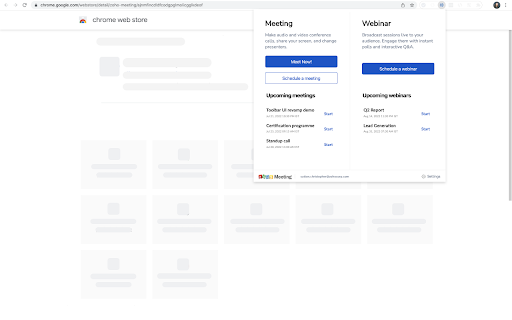
Zoho Meeting is easily accessible from the Chrome extension with one click. Zoho Meeting helps you find new ways to collaborate and work remotely. Create a meeting or webinar, invite participants, and interact through screen sharing, audio, and video conferencing.
With this extension, you can:
Schedule meetings and webinars
Start meetings and webinars
Host instant meetings and invite participants
View and keep track of upcoming sessions
Change your account settings
Key features:
Meeting:
Host meetings with up to 250 participants
Audio/video conferencing
Screen and application sharing
Chat functionality
Lock a meeting to make it secure
Audio, Video and screen recording
Pass keyboard and mouse control
Virtual background
Add co-hosts
Whiteboard
Meeting polls
Picture-in-Picture mode
Raise Hand and Emoji reactions
Use moderator controls during the meeting
Webinar:
Host webinars with up to 3000 attendees
Share Screen or Session Materials
Video webinars
Registration customization
Source tracking
Embed registration widget
Clone Webinars
Polls, Q&A, Raise hand, Allow to talk
Co-organizers
Recording and cloud storage
Virtual Background
Live streaming webinars on YouTube
Webinar analytics
Integration with marketing automation and CRM tools
Pricing of Zoho Meeting:
Our Pro version starts at $3/month for meetings and $19/month for webinars.
Meeting plans support up to 100 participants and Webinar plans support up to 3000 attendees.
View more webinar and meeting features:
https://www.zoho.com/meeting/pricing.html
Apps and extension
Desktop app
iOS app
Android app
Website: https://www.zoho.com/meeting/?src=chromeWebstoreExtn
Support: https://www.zoho.com/meeting/call-me.html?src=chromeWebstoreExtn