Looper for Youtube 2.0
by V & G3.9
14 reviews
2.0K
users
Published
February 18, 2023
Screenshots
Description
⬇️ Easy to set up ⬇️:
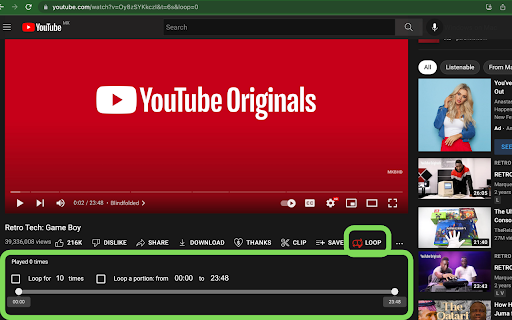
1. Install and pin 📌 the extension.
2. Press the loop button ➰ behind the video to turn on/off auto-play.
3. Or click the keyboard shortcut 'P' to start the loop.
4. Set "&loop=10" in the URL to start the loop 10 times.
5. Set "&start=00:10&end=01:00" to start loop from 10s to 1 min.
✨ Features ✨
1. Default auto-loop on every video. ➿
2. Set loop in a portion/range.
3. Set a value in the URL for the times you want to replay 🔂 the video.
4. Continue to play a whole playlist for loop number of times. ♾
Press one button, to play a video/playlist and set it to repeat itself infinitely.