Other extensions from this developer
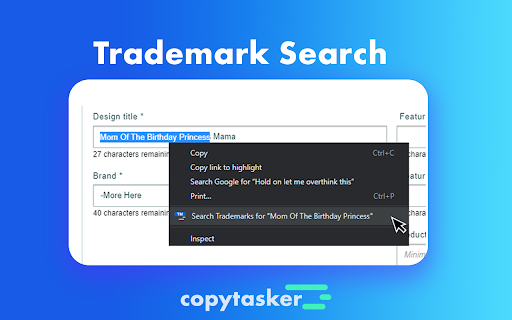
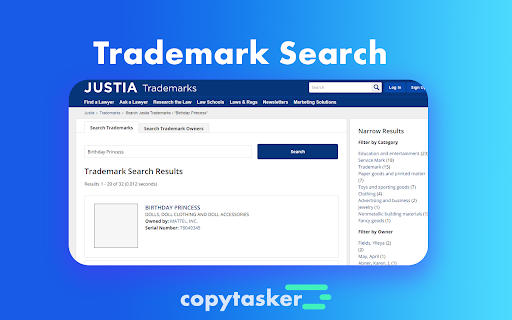
Want your book to show up at the top of Amazon KDP? It's easy. You just need the right tags. Copytasker for KDP copies all the top tags for any KDP keyword search. Plus as a bonus, it also Generates a Title for you and has a Trademark searcher that you can use anywhere. Do your KDP keyword...
Other extensions published on the same day
The DRC ScoreBoard Chrome extension is designed to enforce security from for those using the DRC ScoreBoard application. You will not be able to use the DRC ScoreBoard application without having this extension. If you do not use the DRC ScoreBoard application, then you have no reason do not need...
Cross-platform chat messaging service that aims to make user messaging interoperable across different social platforms.
Automatically inputs password and enters mobile code on steam login. Powered by steam-totp. As someone who has to constantly keep switching between many accounts in steam, it can take a lot of time. This extension is made with the hope that it can reduce that time significantly.
Seeing a whole lot of red in the stock market these days? Us too, so we built a Chrome extension that turns your red into green. Just download the plugin, flip the switch, and greenwash your portfolio.
Password Generator allows you to quickly and easily create secure passwords, which is the first line of defense against cybersecurity attacks, for your documentaries and accounts. Password Generator works based on your browser, we do not store any of your information or send them to any server.
Theme for Google Chrome with Trading background image. The theme is presented in blue colors. The size is 1920x1080.
Mini tool to delay subtitles on the Netflix official website. As you may know, Netflix doesn't have this functionality by default, and being able to delay subtitle streaming can be of great help when you're trying to learn a new language. By default, you can change the delay time by "A" and...
This magnifying glass extension shows a zoomed in area within the radius of the magnifying glass, without affecting the rest of the webpage. Simply press Alt + Z to use the magnifying glass after installing the extension! Then press any key to remove it. You can also choose to use the right...