

SourcerHelper
by SaurabhSrivastava2
users
Published
February 28, 2024
Screenshots
Description
This Chrome Extension is designed to streamline the recruitment process by analyzing LinkedIn profiles against job descriptions provided by users. Here’s how it works:
Open the LinkedIn Profile: Start by navigating to the LinkedIn profile of a candidate you're interested in.
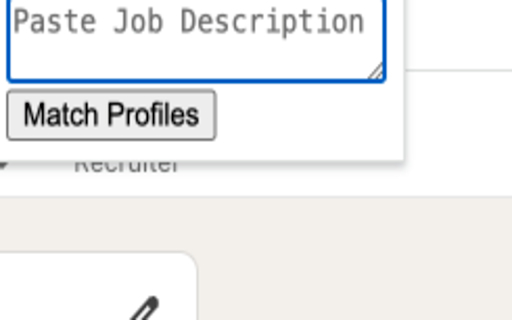
Paste the Job Description: Copy the job description for the position you are hiring for and paste it into the designated area in the extension.
Click 'Match Profiles': Once the job description is pasted, click on the 'Match Profiles' button to initiate the analysis.
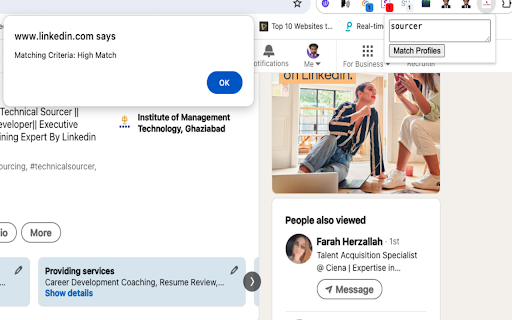
Receive Match Rating: The extension will then process the information and provide a match rating for the candidate. The ratings are categorized as:
Low Match: Indicates that the candidate's profile has few qualifications or skills that align with the job description.
Mid Match: Suggests that the candidate has a moderate alignment with the job requirements.
High Match: Signifies that the candidate's profile strongly aligns with the job description, indicating they are potentially a good fit for the role.
When a profile is rated as a "High Match," it implies that the candidate is likely well-suited for the position based on the job description provided.
Add to Chrome
Quick Info
- Version
- 1.0
- Size
- 51.13KiB
- Price
- Free
- Type
- Extension
Categories
Languages
English (United States)








![Roexec Executor [Latest Version]](https://lh3.googleusercontent.com/Yb24G5FnYt1xLd-LqZe95zvRxjhByCQHj-Dx637nWlRt421BY1Xwr77oc7eWbE2CYfiDLuOC-FrYpty6UDiKsSt-eg)