

Clap
by jingxin5.0
1 reviews
73
users
Published
December 4, 2024
Screenshots


Description
Changelogs
v0.2.4
- Fix an error when text is too long.
v0.2.3
- Support customize prompt template for continue writing.
v0.2.2
- Fix the bug of empty content in the popup when adding a prompt.
v0.2.1
- Fix the error of not being able to edit the prompt.
v0.2.0
- Added replacement mode. Now you can freely edit prompts and shortcuts, and use clap to replace your selected text. For detailed usage, please visit https://chatlikea.pro
v0.1.9
- Fix the problem of continuation writing in temporary mode (such as using input method candidate words).
#AIWritingAssistant #SmartComposition #AutoComplete
Meet 'Clap', an innovative Chrome extension that takes your writing experience to the next level. Powered by cutting-edge GPT technology, Clap offers effortless smart composition, helping you craft engaging content on any website.
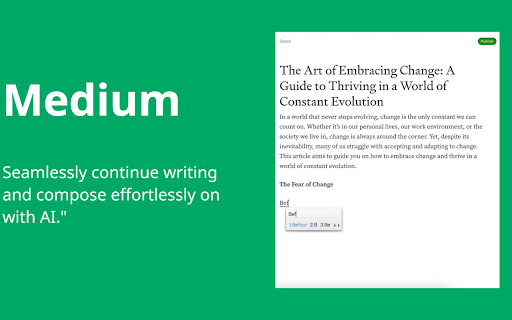
Unlike other extensions, Clap stands out with its non-intrusive, user-friendly interface. There are no pop-ups to distract you or break your flow. All interactions happen within the original text area you're working in. This unique feature allows you to focus solely on your writing, making the process more efficient and enjoyable.
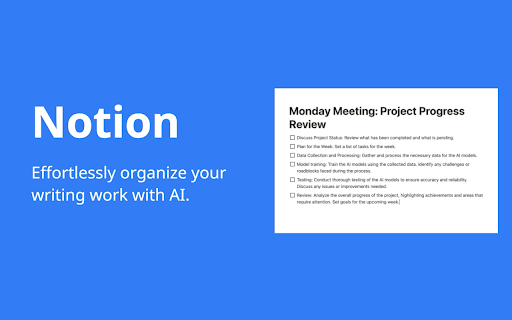
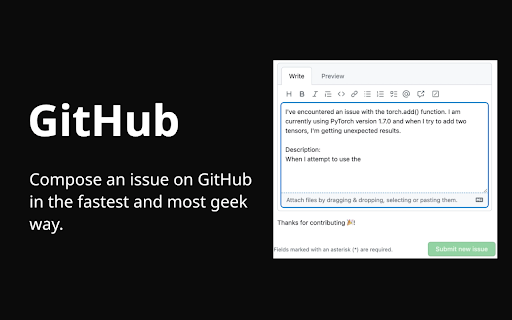
Clap is compatible with a wide range of text editors, providing you with AI-powered suggestions as you type. These context-aware content continuations align with the website you're on, ensuring that your writing remains relevant and on-brand.
The extension also boasts multilingual support, making it an invaluable tool for global communication.
Using Clap is a breeze. Simply start typing in a text box, and AI suggestions will appear, marked by '...'. You can accept these suggestions by pressing 'Tab' or dismiss them with any other key. All of this can be achieved using just your keyboard, eliminating the need for any mouse clicks.
Upgrade your writing with Clap, the Chrome extension that combines simplicity, efficiency, and advanced AI technology to provide a superior writing experience.
Add to Chrome
Quick Info
- Version
- 0.2.4
- Size
- 431KiB
- Price
- Free
- Type
- Extension
Categories
Languages
English (United States)


