

GitHub DeepWiki Button (Unofficial)
by Kazuki Yamada5.0
2 reviews
1.0K
users
Published
November 16, 2025
Screenshots
Description
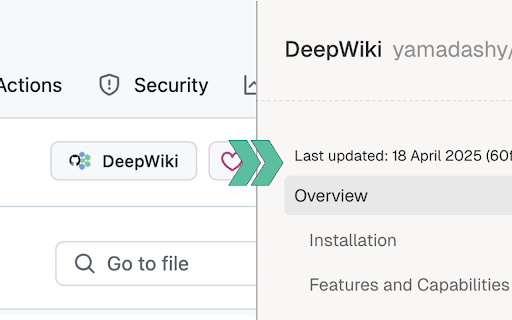
This browser extension adds a convenient "DeepWiki" button to GitHub repository pages, allowing you to quickly access the repository's documentation on DeepWiki.
🛠️ Features:
- Seamlessly integrates with GitHub's interface
- One-click access to DeepWiki for any GitHub repository
- Clean and minimal design following GitHub's UI patterns
- Works on all GitHub repository pages
🚀 How to Use:
1. Install the extension
2. Navigate to any GitHub repository
3. Click the "Open in DeepWiki" button in the repository header
4. You'll be redirected to the corresponding DeepWiki page
⚠️ Note:
This is an unofficial extension and is not affiliated with GitHub or DeepWiki. It simply provides a convenient way to navigate between GitHub repositories and their corresponding DeepWiki pages.
🔒 Privacy:
- No data collection
- No tracking
- No authentication required
- Only requires access to github.com to add the button
💻 The source code is also available, and you can build and install it yourself.
For more details, please visit:
https://github.com/yamadashy/github-deepwiki
Add to Chrome
Quick Info
- Version
- 1.0.4
- Size
- 455KiB
- Price
- Free
- Type
- Extension
Categories
Languages
DeutschEnglishNederlandsespañolfrançaisitalianoportuguês (Brasil)português (Portugal)Ελληνικάрусский中文(中国)中文(台灣)日本語한국어


![Trax Spawner [Updated]](https://lh3.googleusercontent.com/qeMN4R0X99m-wKFZn9_KUWIFRAdqy2izITqFpkHxJusd_bExmarmLGwUlxHc-w0zuUCNYTqQUaxM48WEvoVoODM5hA)


