
Web Video Speed Controller
by aynor5.0
2 reviews
377
users
Published
December 30, 2023
Screenshots


Description
**Web Video Speed Controller Extension**
Easily control the speed of any online video. (Accurate to 0.01x speed, up to 16x speed!)
Easily operable via:
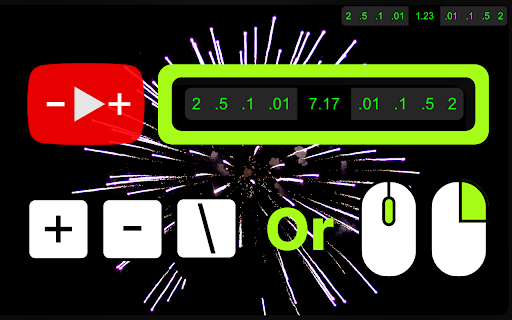
a) clicking on floating UI/interface to control speed
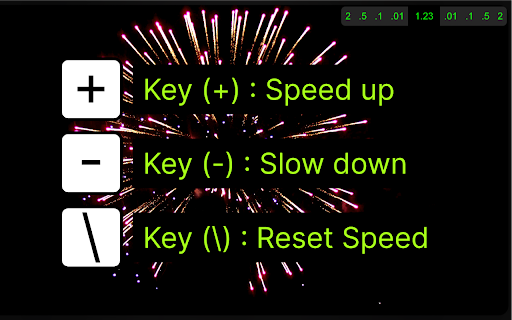
b) or using keyboard shortcuts only,
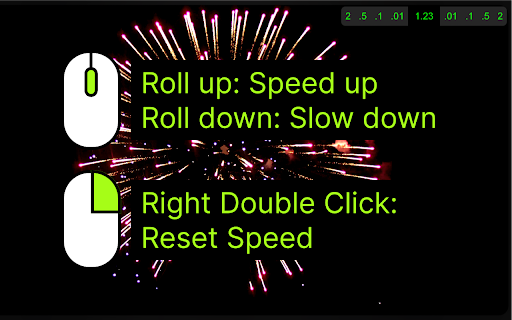
c) or by mouse only (hover mouse over video and scroll for speed control) (double right click to reset speed).
**User's Guide:**
1) Download extension.
2) PIN THE ICON for easy access. [YOU CAN TURN OFF THE MOUSE CONTROL FUNCTION FROM HERE]
3) Click on the Icon for initial personalization.
4) Visit video streaming websites and enjoy.
**Overview:**
- **Universal Compatibility:** Whether it's YouTube, Vimeo, Bilibili, Youku or any other platform that uses a standard video player, this extension has you covered.
**Precise Adjustment:** Modify playback speed with unparalleled accuracy - accurate to 0.01x, supporting up to 16x speed!
- **Completely Free:** Experience ultimate playback control without paying, and if you benefit from the fine-tuning speed plugin, feel free to donate to support the developers!
**Key Features:**
1. Adjust video playback speed: increase, decrease, or reset to standard rate.
2. Customizable keyboard shortcuts supported.
3. Convenient mouse control: hover the mouse over the video to fine-tune the speed.
4. Support customizing your own speed increment.
5. Double-click the right button to quickly return to the original speed.
6. Supports remembering your selected playback speed and applying it to all videos.
7. The on-screen control panel displays real-time playback speed.
8. Four theme colors are available.
9. The on-screen control panel has five different display styles, including hiding the entire control panel.