Screenshot to ChatGPT: capture and send
by Tik Hon21
users
Published
August 12, 2025
Screenshots


Description
Screenshot to ChatGPT
Capture any part of a webpage and instantly send it to ChatGPT with customizable prompts for quick visual analysis and feedback.
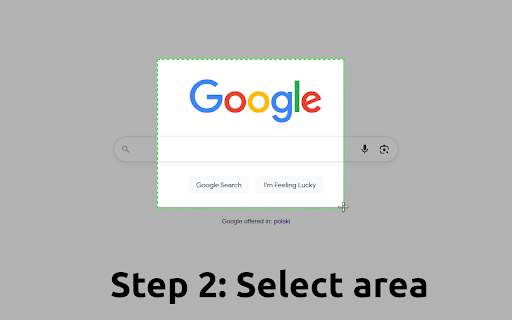
With just two clicks, capture any portion of any webpage and send it directly to ChatGPT with your custom questions or prompts.
🚀 Key Features
📸 Effortless Screenshot Capture
- Select any area on any webpage with an intuitive drag-and-drop interface
- High-quality PNG screenshots preserve all visual details
- No manual file uploads or copy-pasting required. Screenshots automatically appear in your ChatGPT conversation
- Set your own default prompt or just use "What is this?"
💡 Perfect For:
Content Creators & Marketers:
- Analyze competitor websites and social media content, get design inspiration and feedback on visual elements
Developers & Designers:
- Debug UI issues by showing ChatGPT screenshots of problems, analyze design patterns and user interfaces
- Share visual bugs with detailed context
Students & Researchers:
- Capture complex diagrams, charts, and infographics for analysis
- Get explanations of visual content from textbooks or articles
- Analyze historical documents, maps, or scientific illustrations
Business Professionals:
- Analyze competitor products, pricing pages, get feedback on presentations and documents
- Review dashboard data and metrics with AI insights
After installation, don't forget to pin the extension to your toolbar for quick access!