Julius AI - Analyze Google Sheets with ChatGPT
by developers4.8
4 reviews
971
users
Published
April 16, 2024
Screenshots



Description
Visualize and Analyze your Google Sheets using ChatGPT. 🌟
Julius is your AI-powered data analyst, leveraging ChatGPT and Anthropic alongside other leading technologies. With this chrome extension, you can connect your Google Sheet to Julius AI with a click of a button.
🪄 Key Features:
- Versatile Data Analysis 📊: Effortlessly link your Google Sheet for analysis powered by GPT-4.
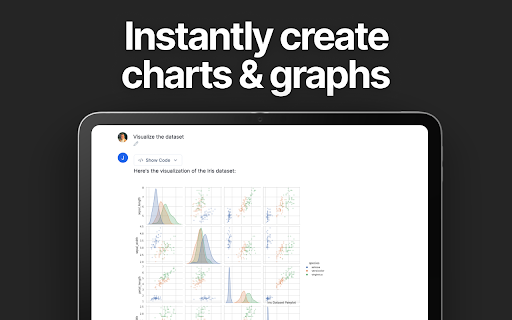
- Dynamic Graph Maker 📈: Generate both basic and advanced charts tailored to your specific data visualization needs.
- Data Insights Made Easy 💡: Group, filter, and transform your data with intuitive controls.
- Write Reports with AI 📝: Draft concise papers & reports using the same technology behind ChatGPT.
🚀 How to use the Julius AI Chrome Extension
1️⃣ Click "Add to Chrome"
2️⃣ Navigate to the Google Sheet you'd like to analyze
3️⃣ Set the Google Sheet sharing settings to Public
4️⃣ Click "Analyze with Julius ⚡️" in the top right of the Google Sheet
👨💻 Website
https://julius.ai
Julius is free to download and use. With Julius AI, you don't just analyze data; you unlock its true potential. Transform the raw data in your Google Sheet into meaningful insights, create compelling models, generate clean graphs, and make informed decisions with ease. Experience the future of data analysis today! 🎉