ChatGPT Color Palette
by atkntepe5.0
1 reviews
325
users
Published
May 27, 2024
Screenshots

Description
Customize Your ChatGPT Interface
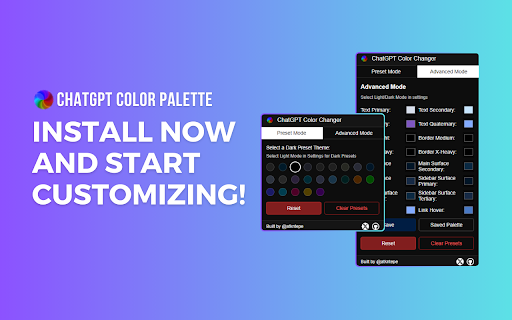
ChatGPT Color Palette is a Chrome extension that lets you personalize the colors of your ChatGPT interface. Choose between dark and light themes or create your custom color palette to enhance your ChatGPT experience.
Features:
- Preset Mode: Quickly apply predefined color themes, including Dark, Light, and various popular themes.
- Advanced Mode: Fine-tune individual color elements like primary, secondary, and tertiary colors for full control over your interface.
- Easy Reset: Instantly revert to default colors with a single click.
- Save and Apply: Save your custom palette and apply it anytime easily.
- Clear Presets: Remove saved palettes to start fresh.
Why Choose ChatGPT Color Palette?
- Flexibility: Customize every aspect of your ChatGPT interface to suit your preferences.
- Convenience: Save and switch between different color palettes effortlessly.
- Enhanced Experience: Make your ChatGPT interface visually appealing and personalized to your style.
-Transform your ChatGPT interface into a visually stunning and personalized workspace with the ChatGPT Color Palette extension.
Install now and start customizing!
What's New in Version 0.3.0:
- Added More Presets: We now have 24 presets for dark mode and 23 for light mode. Users should select the mode from ChatGPT settings to access light or dark modes.
- Simplified Preset Changes: The advanced mode is now adaptive to the selected preset, making it easier to fine-tune your interface.
Enjoy a wider variety of preset themes to personalize your ChatGPT experience.